{{deviceBrand}}
{{deviceModel}}

{{submittedDetailsLabel}}
- {{interestedInLabel}}
- {{data.find(item => item.fieldName === 'IM_INTERESTED_IN' ).fieldValue}}
- {{salutationLabel}}
- {{data.find(item => item.fieldName === 'SALUTATION' ).fieldValue}}
- {{fullNameLabel}}
- {{data.find(item => item.fieldName === 'NAME' ).fieldValue}}
- {{idTypeLabel}}
- {{data.find(item => item.fieldName === 'ID_TYPE' ).fieldValue}}
- {{idNumberLabel}}
- {{data.find(item => item.fieldName === 'ID_NO' ).fieldValue}}
- {{mobileNumberLabel}}
- {{data.find(item => item.fieldName === 'PHONE_NO' ).fieldValue}}
- {{emailAddressLabel}}
- {{data.find(item => item.fieldName === 'EMAIL' ).fieldValue}}
- {{adresssLineLabel}}
- {{data.find(item => item.fieldName === 'ADDRESS_LINE' ).fieldValue}}
- {{postcodeLabel}}
- {{data.find(item => item.fieldName === 'POSTCODE' ).fieldValue}}
- {{stateLabel}}
- {{data.find(item => item.fieldName === 'STATE' ).fieldValue}}
- {{cityLabel}}
- {{data.find(item => item.fieldName === 'CITY' ).fieldValue}}
{{yourSelectedPlanLabel}}
- {{broadbandPlanLabel}}
- {{data.find(item => item.fieldName === 'BROADBAND_PLAN' )?.fieldValue}}
- {{selectedPostpaidOptionPlanLabel}}
- {{selectedPostpaidOptionPlan}}
- {{monthlyFeeLabel}}
- {{data.find(item => item.fieldName === 'MONTHLY_FEE' )?.fieldValue}}
{{personalDetailsFormLabel}}
- {{salutationLabel}}
- {{data.find(item => item.fieldName === 'SALUTATION' )?.fieldValue}}
- {{fullNameLabel}}
- {{data.find(item => item.fieldName === 'NAME' )?.fieldValue}}
- {{idTypeLabel}}
- {{data.find(item => item.fieldName === 'ID_TYPE' )?.fieldValue}}
- {{idNumberLabel}}
- {{data.find(item => item.fieldName === 'ID_NO' )?.fieldValue}}
- {{mobileNumberLabel}}
- {{data.find(item => item.fieldName === 'PHONE_NO' )?.fieldValue}}
- {{emailAddressLabel}}
- {{data.find(item => item.fieldName === 'EMAIL' )?.fieldValue}}
{{installationAddressFormLabel}}
- {{installationBuildingNameLabel}}
- {{data.find(item => item.fieldName === 'INSTALLATION_BUILDING_NAME' )?.fieldValue}}
- {{installationUnitBlockLabel}}
- {{data.find(item => item.fieldName === 'INSTALLATION_BLOCK_NUMBER' )?.fieldValue}}
- {{installationUnitNumberLabel}}
- {{data.find(item => item.fieldName === 'INSTALLATION_UNIT_NUMBER' )?.fieldValue}}
- {{installationAddressLineLabel}}
- {{data.find(item => item.fieldName === 'INSTALLATION_ADDRESS_LINE' )?.fieldValue}}
- {{installationPostcodeLabel}}
- {{data.find(item => item.fieldName === 'INSTALLATION_POSTCODE' )?.fieldValue}}
- {{installationStateLabel}}
- {{data.find(item => item.fieldName === 'INSTALLATION_STATE' )?.fieldValue}}
- {{installationCityLabel}}
- {{data.find(item => item.fieldName === 'INSTALLATION_CITY' )?.fieldValue}}
- {{installationServiceProviderLabel}}
- {{data.find(item => item.fieldName === 'SERVICE_PROVIDER' )?.fieldValue}}
{{registrationAddressFormLabel}}
- {{registrationBuildingNameLabel}}
- {{data.find(item => item.fieldName === 'REGISTRATION_BUILDING_NAME' )?.fieldValue}}
- {{registrationUnitBlockLabel}}
- {{data.find(item => item.fieldName === 'REGISTRATION_BLOCK_NUMBER' )?.fieldValue}}
- {{registrationUnitNumberLabel}}
- {{data.find(item => item.fieldName === 'REGISTRATION_UNIT_NUMBER' )?.fieldValue}}
- {{registrationAddressLineLabel}}
- {{data.find(item => item.fieldName === 'REGISTRATION_ADDRESS_LINE' )?.fieldValue}}
- {{registrationPostcodeLabel}}
- {{data.find(item => item.fieldName === 'REGISTRATION_POSTCODE' )?.fieldValue}}
- {{registrationStateLabel}}
- {{data.find(item => item.fieldName === 'REGISTRATION_STATE' )?.fieldValue}}
- {{registrationCityLabel}}
- {{data.find(item => item.fieldName === 'REGISTRATION_CITY' )?.fieldValue}}
- {{registrationServiceProviderLabel}}
- {{data.find(item => item.fieldName === 'SERVICE_PROVIDER' )?.fieldValue}}
Ready to Power Up with Prepaid Plans?
Enjoy Convenient &
Cashless Payment
Get your Prepaid Plans with ease even when you're on the go via hassle-free online payment channels!

Take Your Plans
to the Next Level
Now you can do everything & more with high-speed data, SMS and call Add-ons!
Get Prepaid Plans
for Your Loved Ones
Subscribe to Prepaid Plans anytime, anywhere via MyUMobile App.








*Fair Usage Policy (FUP) applies.
Daily Ultra Speed is redeemable everyday for 1 hour/day & Unlimited 5G Weekends (Saturday & Sunday) is redeemable weekly via MyUMobile App.
Purchase your Prepaid Plans via Online Partners
Select your preferred online payment service:

Get Your Add-Ons via AmBank
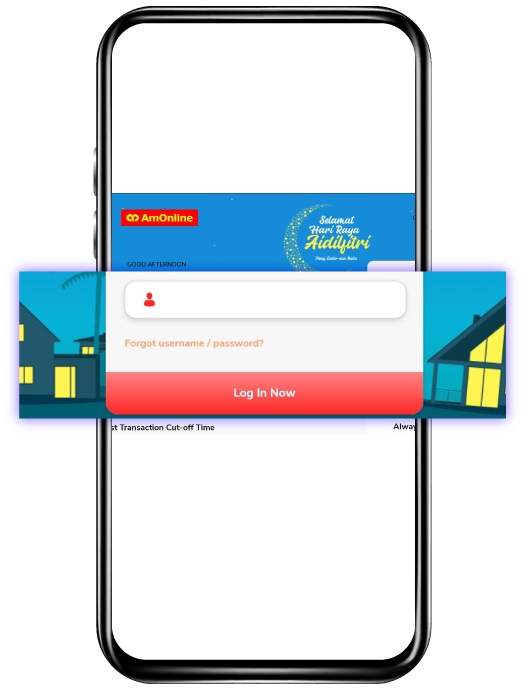
Step 2
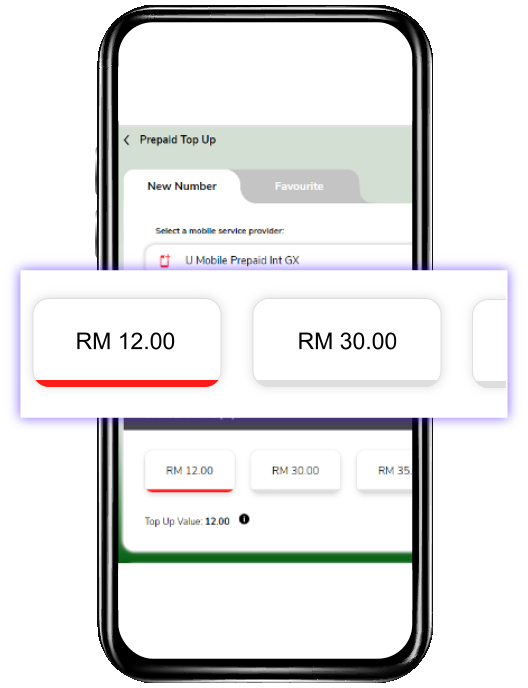
Proceed to Prepaid Top Up, select U Mobile Prepaid Int GX, key in your mobile number and select your desired plan.
Step 3
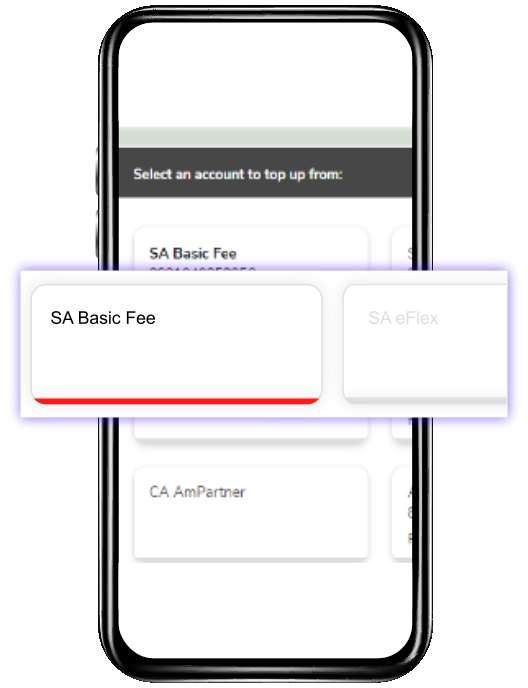
Select an AmBank account to top up from.
Step 4
Review your details, click Continue to proceed to payment, key in the TAC sent to your mobile and click Confirm.

Get Your Add-Ons via Bank Islam
Step 1
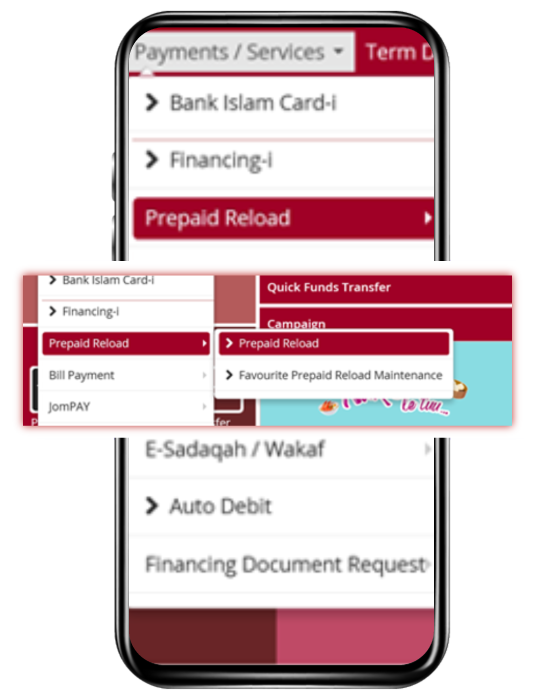
Login to Internet Banking > Click Payment/ Services > Select Prepaid Reload.
Step 2
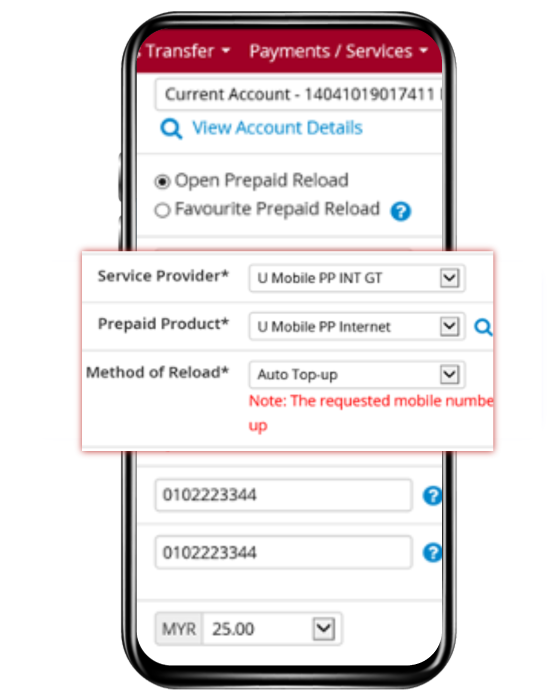
Go to Service Provide - Select U Mobile PP Int GT/GX/UMI, Key in Mobile Number and choose the plan from Amount, then click Purchase.
Step 3
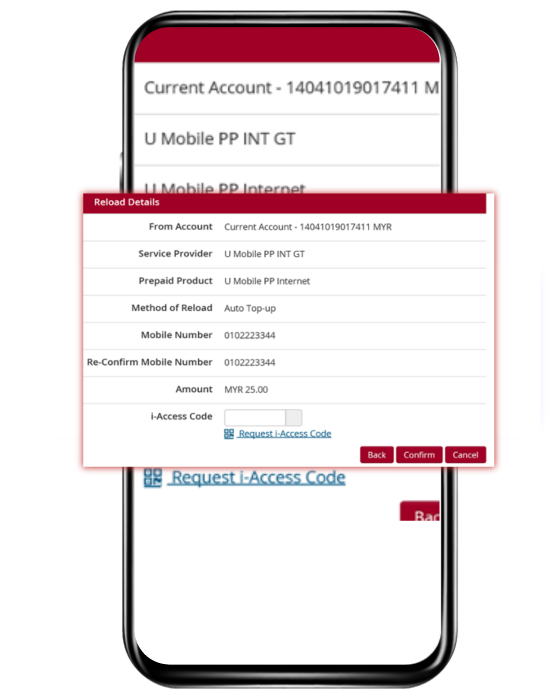
Review Confirm page > Request i-access code.
Step 4
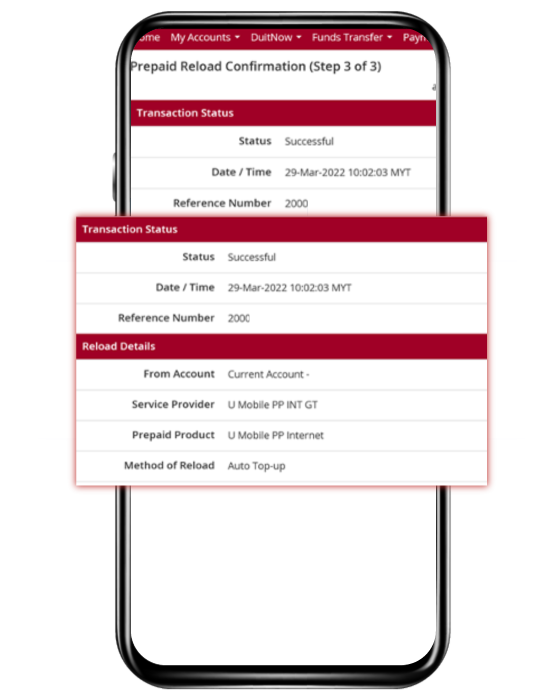
Transaction Status page will be shown.

Get Your Add-Ons via Bank Muamalat
Step 1
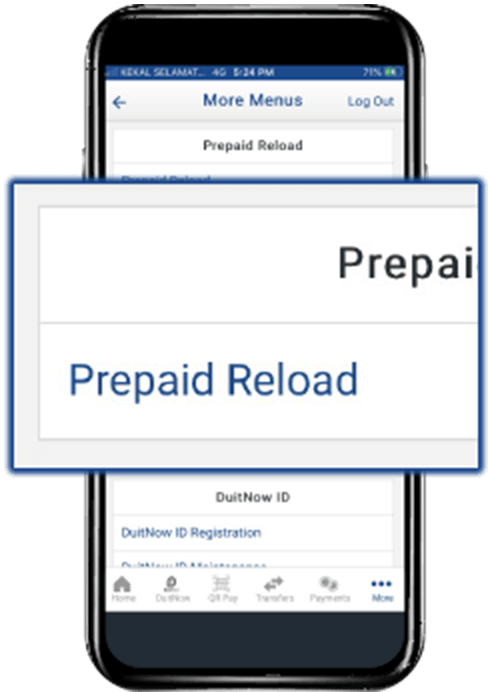
Log in & proceed to Prepaid Reload.
Step 2
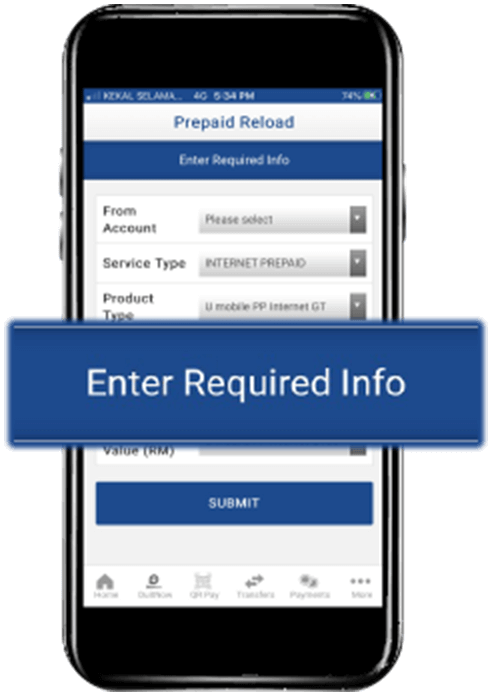
Enter the required information by selecting it from the drop-down list.
Step 3
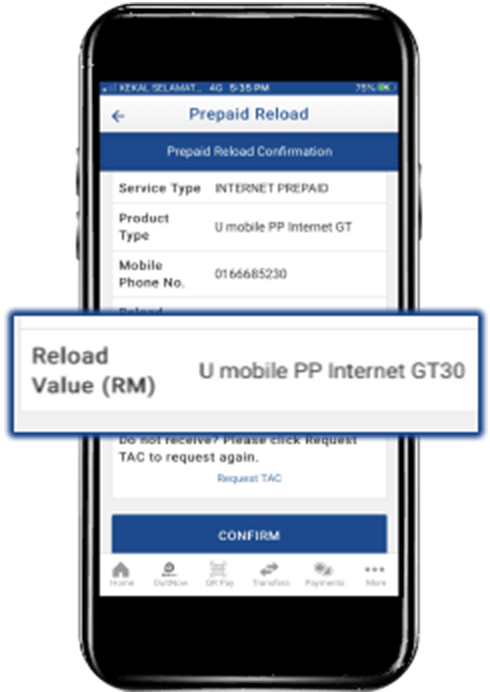
Choose your desired plan at Reload Value and click Submit.
Step 4
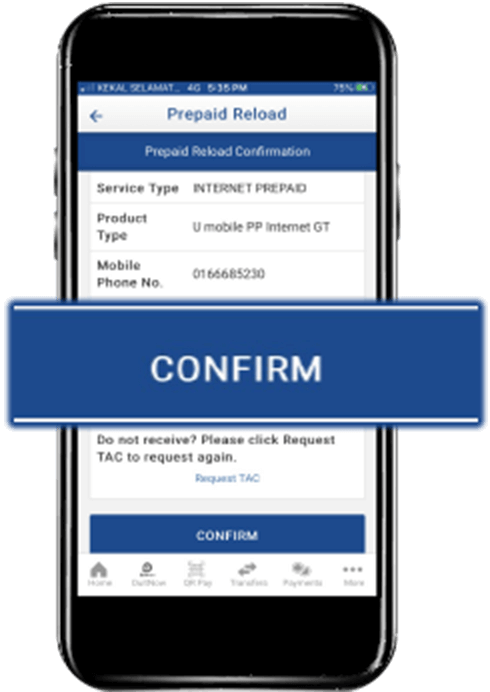
Confirm your details, validate with TAC and click Confirm to purchase your plan!

Get Your Add-Ons via Bank Rakyat
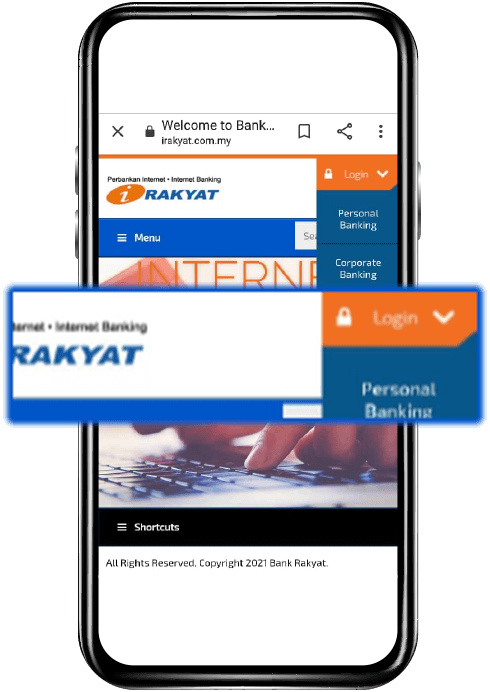
Step 2
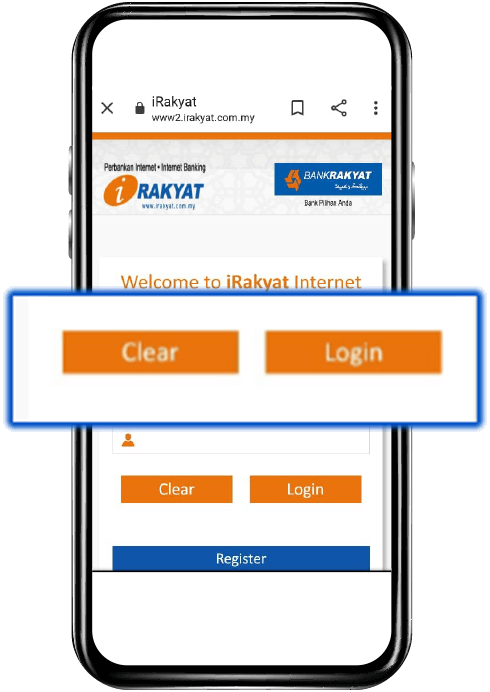
Key in your Username & Click Login.
Step 3
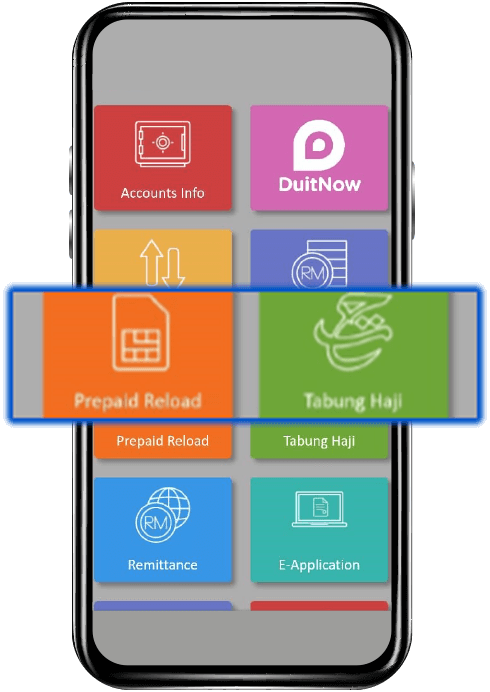
Select Prepaid Reload.
Step 4
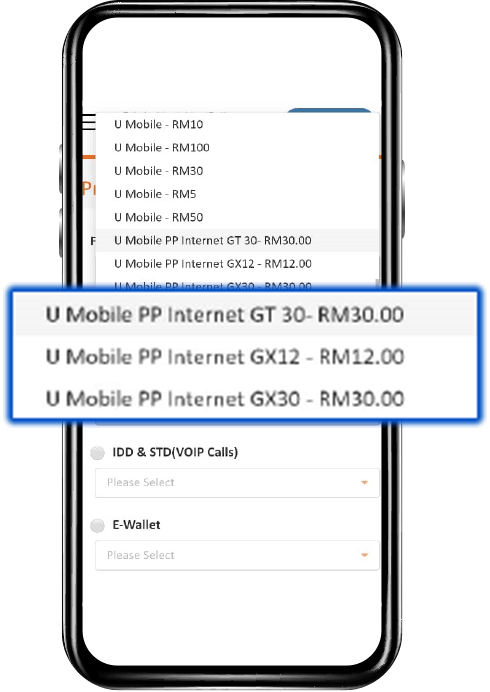
Select U Mobile PP Internet GT/GX/UMI.

Get Your Add-Ons via CIMB Clicks
Step 1
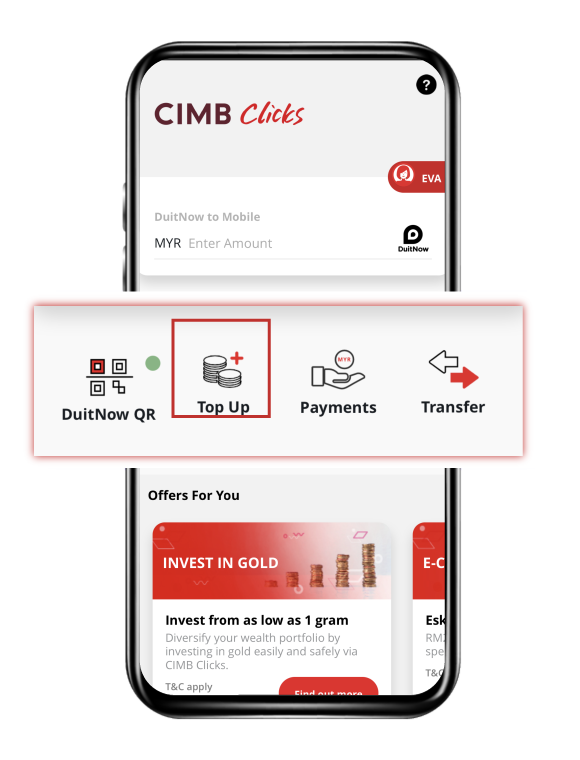
Launch the app & select Top Up, then Prepaid Reload.
Step 2
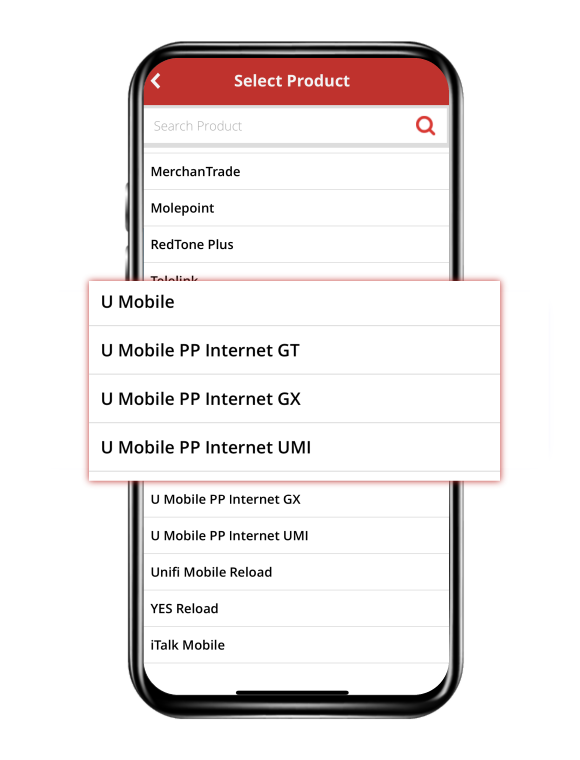
Key in Mobile Number & Select U Mobile PP Internet GT/GX/UMI.
Step 3
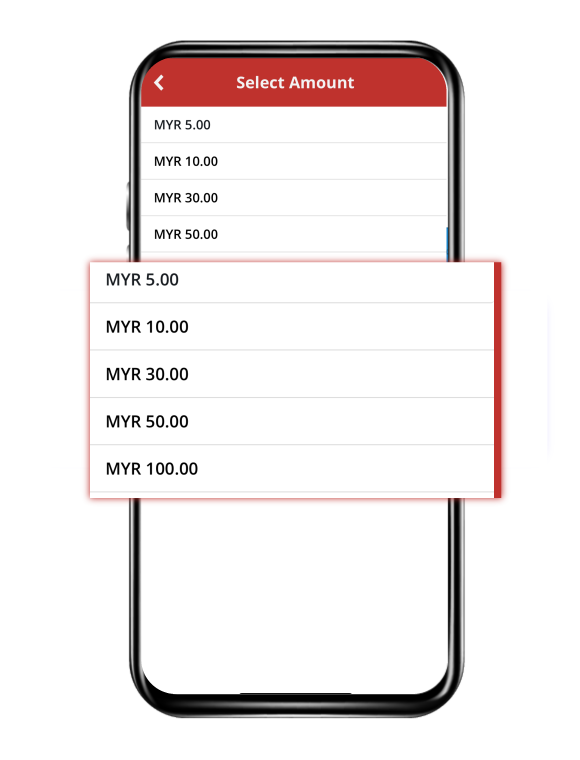
Choose the plan to purchase.
Step 4
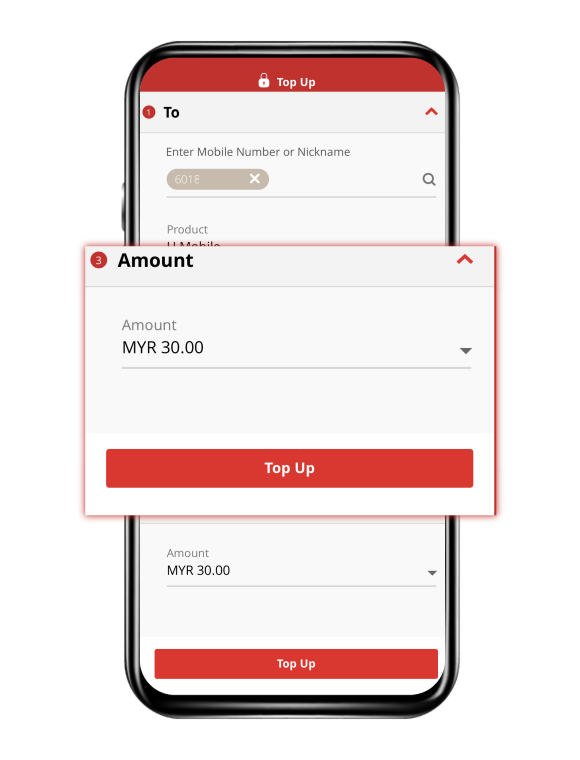
Click Top Up for Payment.

Get Your Add-Ons via Maybank2u
Step 1
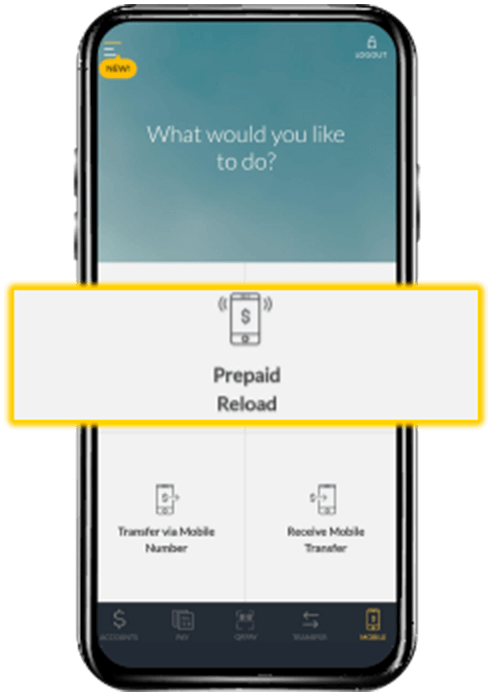
Log in to the app & proceed to Prepaid Reload.
Step 2
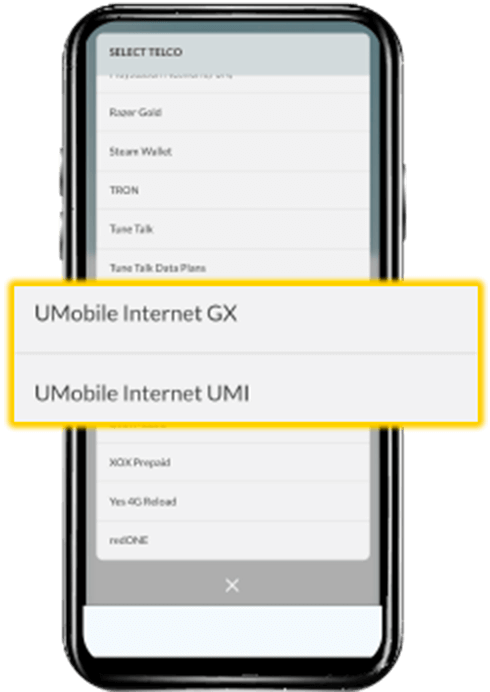
Select U Mobile Internet GX or UMI & key in your Mobile Number.
Step 3
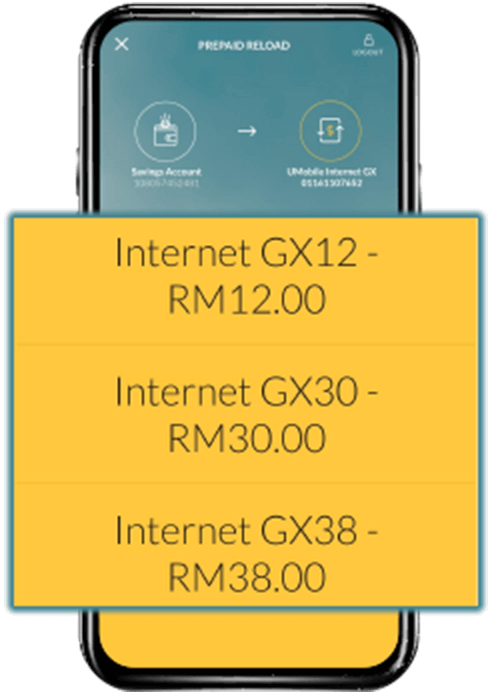
Choose your desired plan, confirm & click Proceed.
Step 4
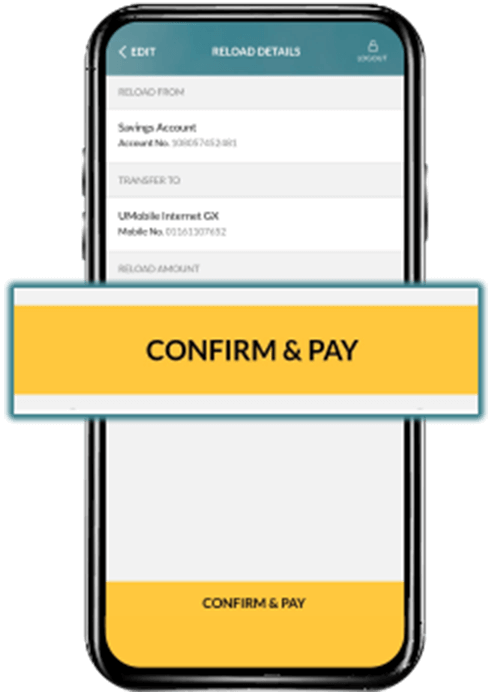
Confirm your details & click Confirm & Pay to proceed to payment!

Get Your Add-Ons via Public Bank
Step 1
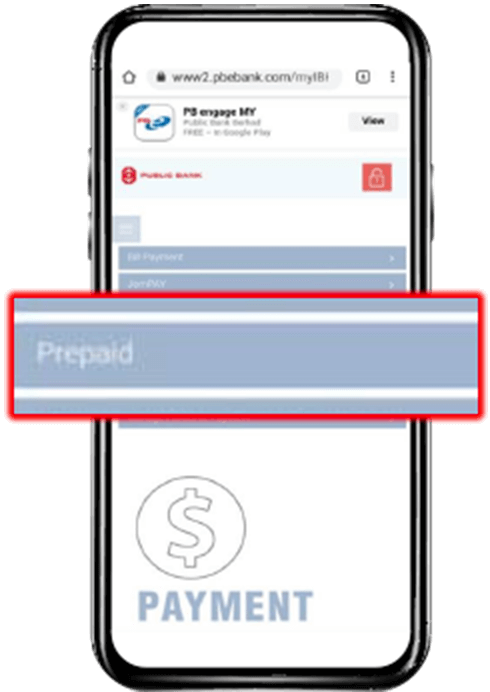
Log in to the PBE App or website, proceed to Prepaid & select Top‑up.
Step 2
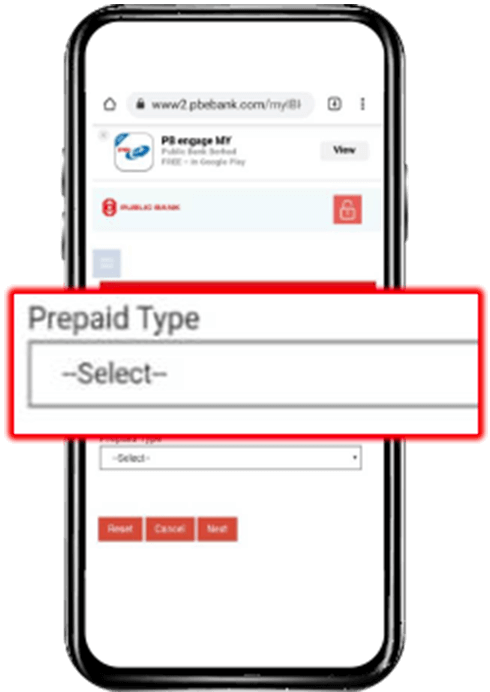
Select Prepaid Type, click Next & select U Mobile PP Internet GT, GX or UMI.
Step 3
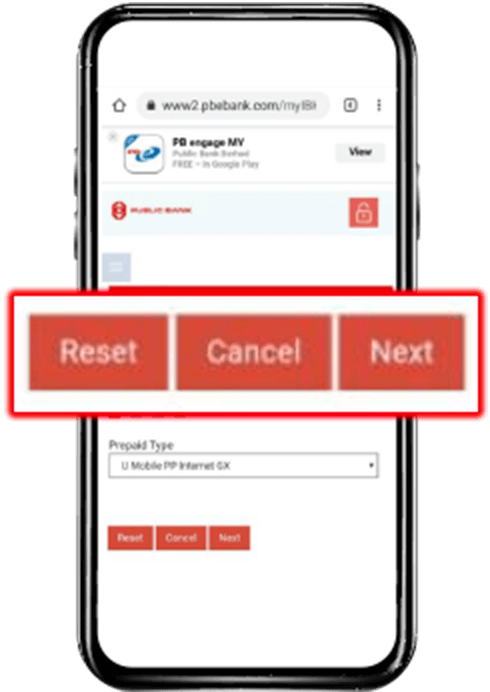
Click Next to confirm and choose your desired plan!
Step 4
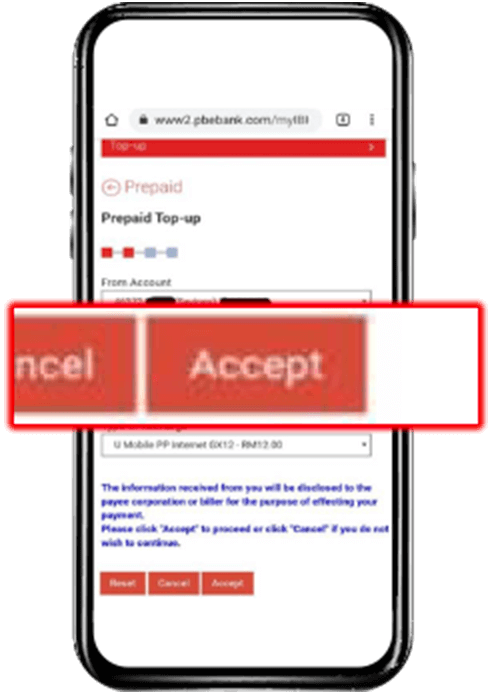
Confirm your bank details, key in your Mobile Number & click Accept to proceed to payment.

Get Your Add-Ons via RHB
Step 1
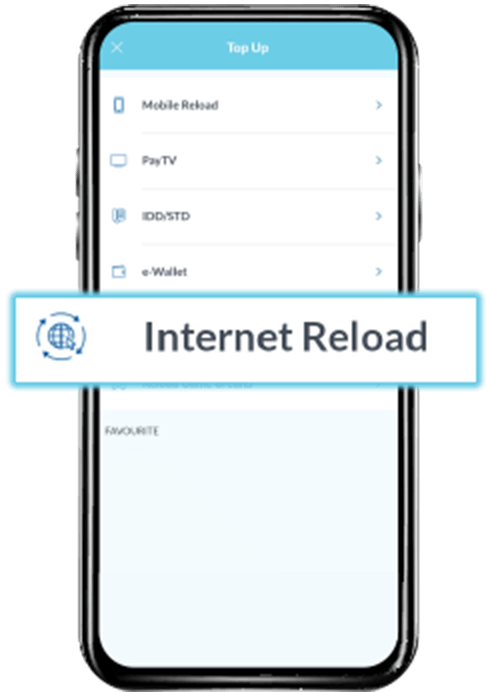
Log in to the app, proceed to Top Up & select Internet Reload.
Step 2
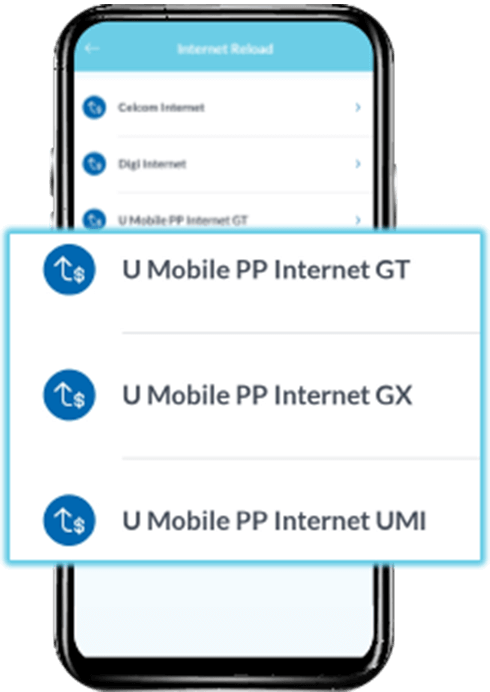
Select U Mobile PP Internet GT, GX or UMI.
Step 3
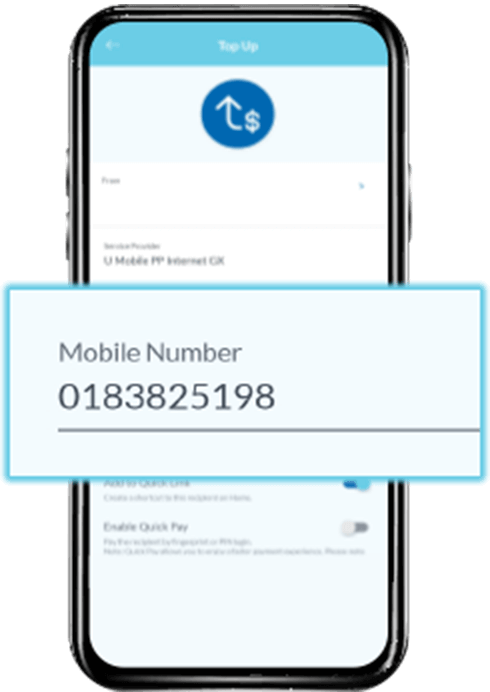
Key in your Mobile Number & choose your desired plan!
Step 4
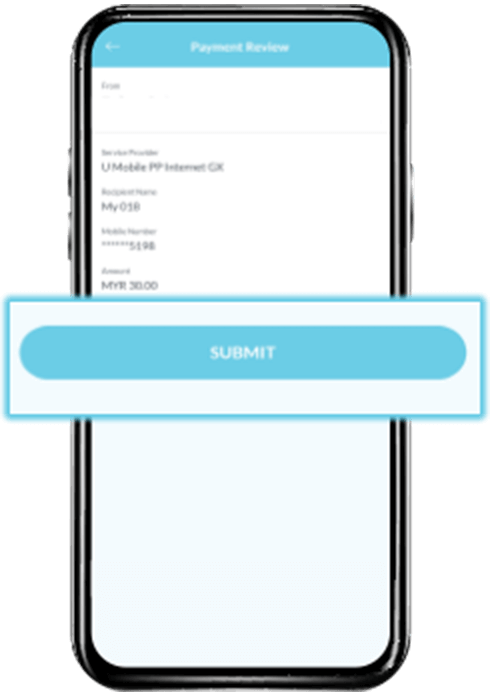
Confirm your details & click Submit to proceed to payment.
Select your preferred online payment service:

Get Your Add-Ons via Boost
Step 1
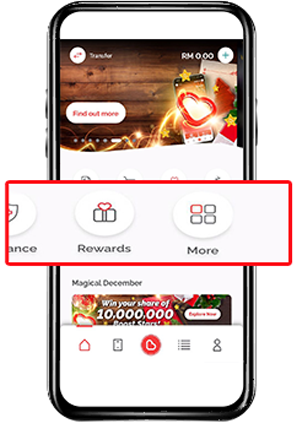
Launch the app, proceed to More & select Top Up.
Step 2
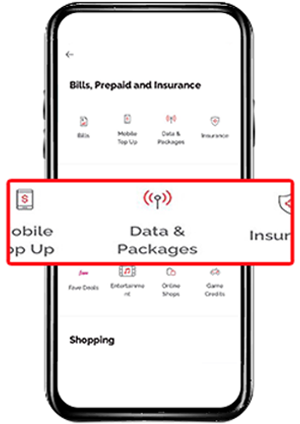
Select Data Package, select U Mobile & choose your desired plan.
Step 3
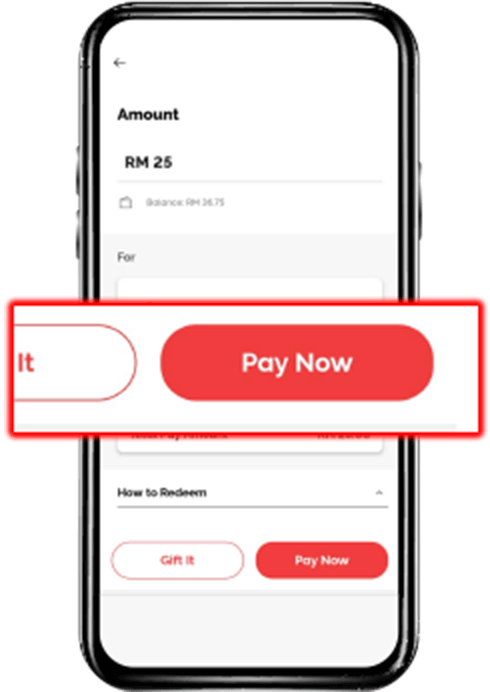
Confirm your details, select Pay Now & key in your Boost Wallet’s PIN code to subscribe!
Step 4
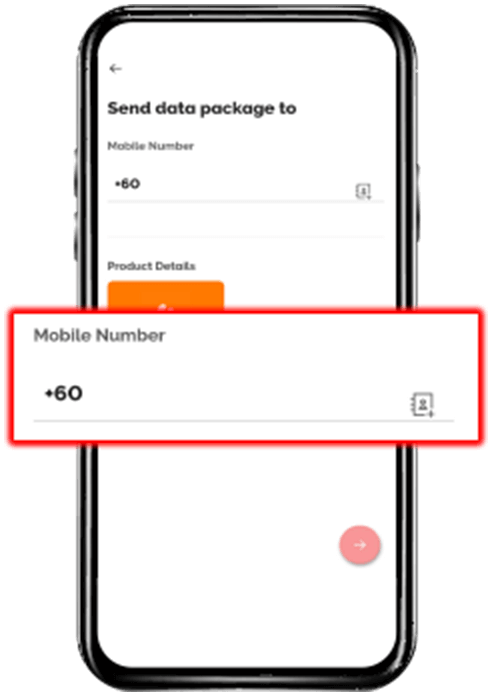
Select Gift It if you are purchasing for a loved one. Key in their Mobile Number & proceed to payment!

Get Your Add-Ons via Lazada
Step 1
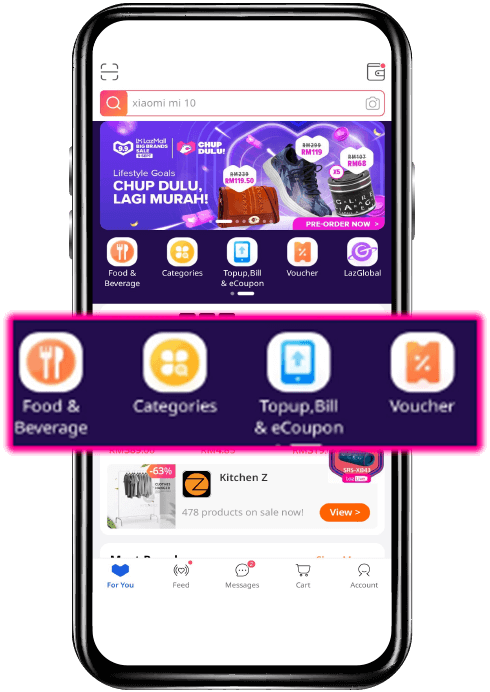
Launch the app & click Topup, Bill & Coupon.
Step 2
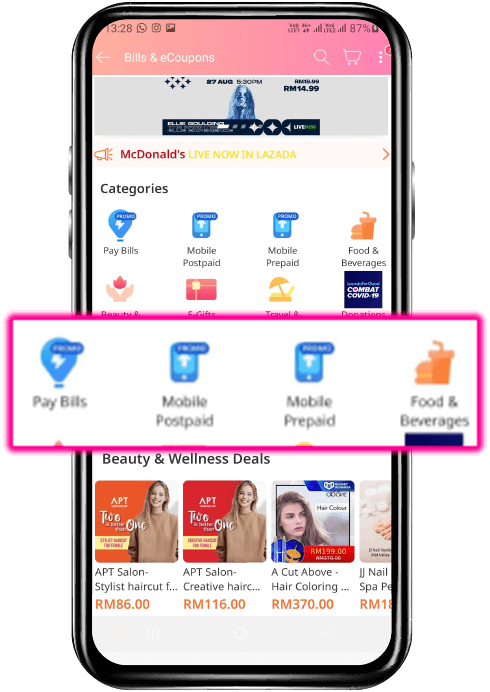
Click Mobile Prepaid.
Step 3
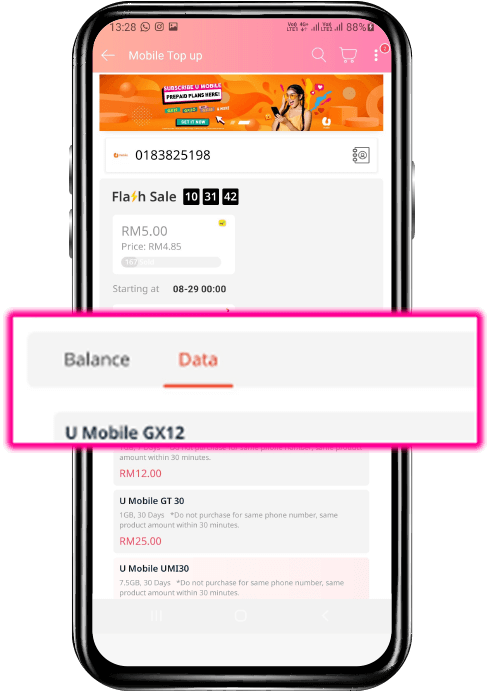
Key in MSISDN, Choose Data & Select any plan to subscribe.
Step 4
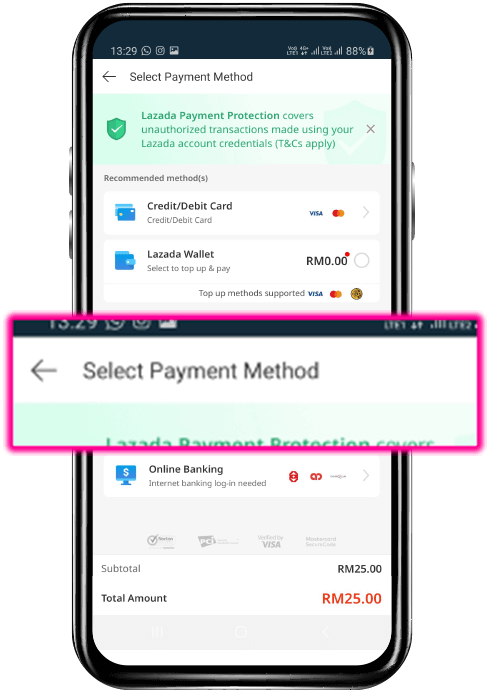
Select Payment methods.

Get Your Add-Ons via Shopee
Step 1
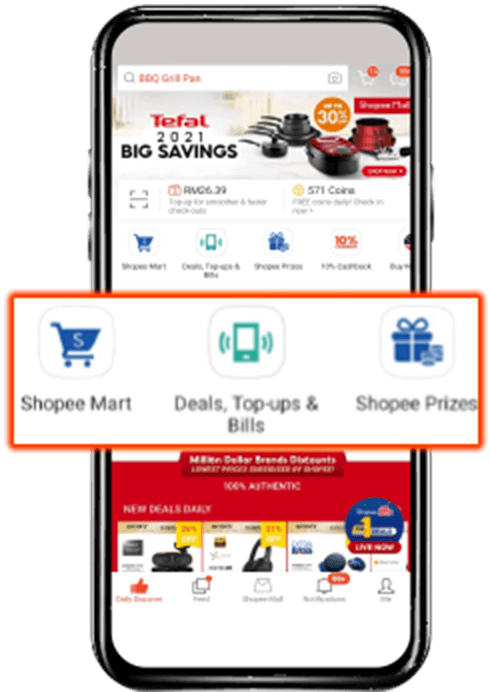
Launch the app & proceed to Deals, Top-ups & Bills.
Step 2
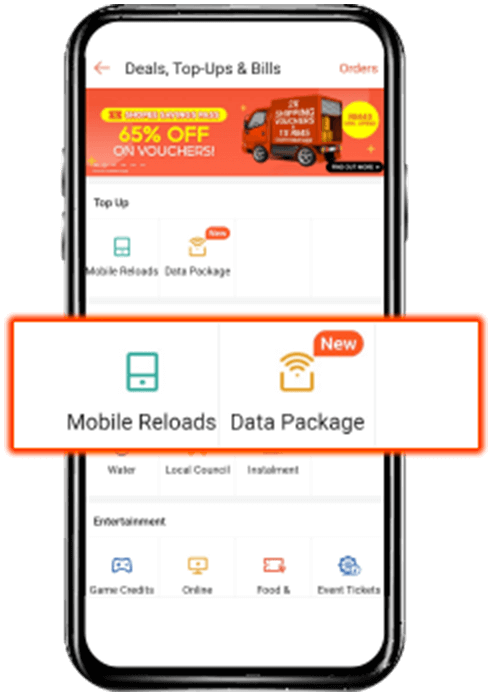
Select Data Package & select U Mobile.
Step 3
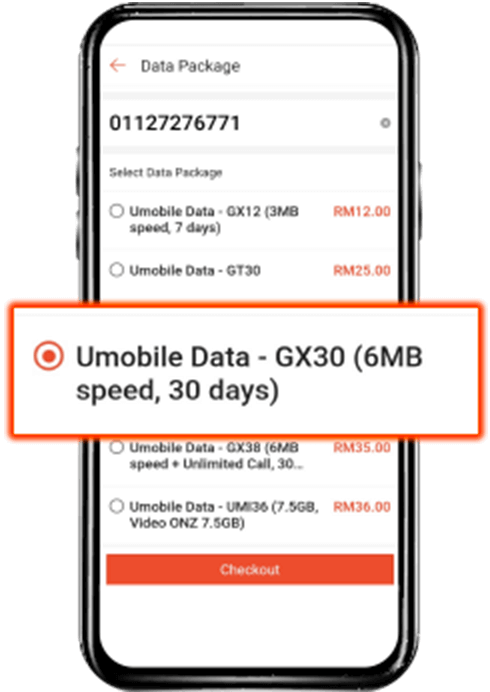
Key in your Mobile Number & choose your desired plan!
Step 4
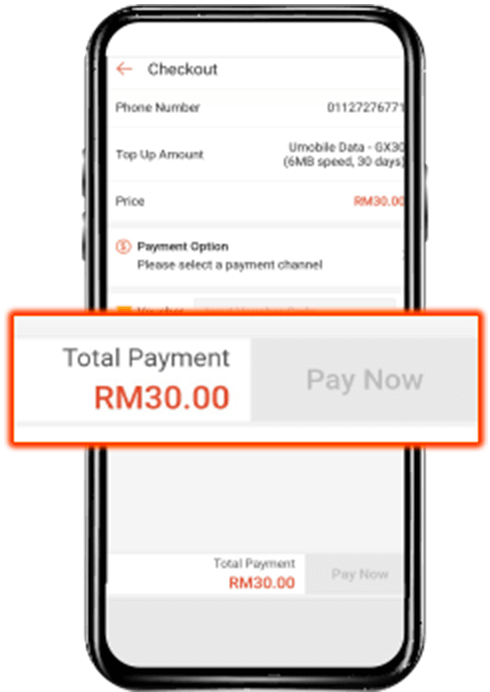
Confirm your payment method & click Pay Now.

Get Your Add-Ons via Touch ‘n Go eWallet
Step 1
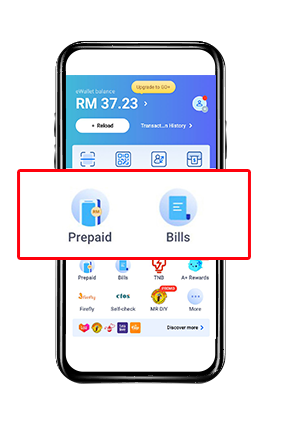
Launch the app & select Prepaid.
Step 2
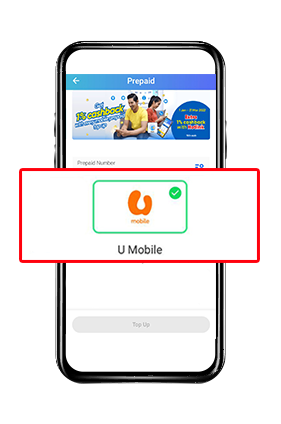
Key in Prepaid Number & select U Mobile.
Step 3
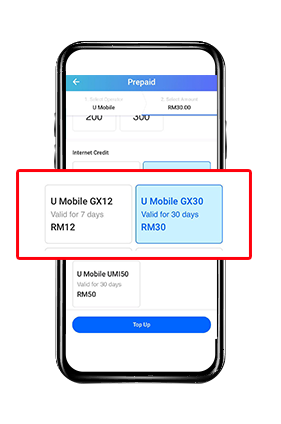
Scroll down to Internet Credit & choose the plan, then click Top Up and proceed for payment.
More Ways to Reach Out
Whether it’s through the MyUMobile App or social media, getting in touch is quick and easy.
MyUMobile App
Enjoy a better, faster and safer experience today!

Drop us your message on Messenger.

Instagram
Have questions? Feel free to DM us!