{{deviceBrand}}
{{deviceModel}}

{{submittedDetailsLabel}}
- {{interestedInLabel}}
- {{data.find(item => item.fieldName === 'IM_INTERESTED_IN' ).fieldValue}}
- {{salutationLabel}}
- {{data.find(item => item.fieldName === 'SALUTATION' ).fieldValue}}
- {{fullNameLabel}}
- {{data.find(item => item.fieldName === 'NAME' ).fieldValue}}
- {{idTypeLabel}}
- {{data.find(item => item.fieldName === 'ID_TYPE' ).fieldValue}}
- {{idNumberLabel}}
- {{data.find(item => item.fieldName === 'ID_NO' ).fieldValue}}
- {{mobileNumberLabel}}
- {{data.find(item => item.fieldName === 'PHONE_NO' ).fieldValue}}
- {{emailAddressLabel}}
- {{data.find(item => item.fieldName === 'EMAIL' ).fieldValue}}
- {{adresssLineLabel}}
- {{data.find(item => item.fieldName === 'ADDRESS_LINE' ).fieldValue}}
- {{postcodeLabel}}
- {{data.find(item => item.fieldName === 'POSTCODE' ).fieldValue}}
- {{stateLabel}}
- {{data.find(item => item.fieldName === 'STATE' ).fieldValue}}
- {{cityLabel}}
- {{data.find(item => item.fieldName === 'CITY' ).fieldValue}}
{{yourSelectedPlanLabel}}
- {{broadbandPlanLabel}}
- {{data.find(item => item.fieldName === 'BROADBAND_PLAN' )?.fieldValue}}
- {{selectedPostpaidOptionPlanLabel}}
- {{selectedPostpaidOptionPlan}}
- {{monthlyFeeLabel}}
- {{data.find(item => item.fieldName === 'MONTHLY_FEE' )?.fieldValue}}
{{personalDetailsFormLabel}}
- {{salutationLabel}}
- {{data.find(item => item.fieldName === 'SALUTATION' )?.fieldValue}}
- {{fullNameLabel}}
- {{data.find(item => item.fieldName === 'NAME' )?.fieldValue}}
- {{idTypeLabel}}
- {{data.find(item => item.fieldName === 'ID_TYPE' )?.fieldValue}}
- {{idNumberLabel}}
- {{data.find(item => item.fieldName === 'ID_NO' )?.fieldValue}}
- {{mobileNumberLabel}}
- {{data.find(item => item.fieldName === 'PHONE_NO' )?.fieldValue}}
- {{emailAddressLabel}}
- {{data.find(item => item.fieldName === 'EMAIL' )?.fieldValue}}
{{installationAddressFormLabel}}
- {{installationBuildingNameLabel}}
- {{data.find(item => item.fieldName === 'INSTALLATION_BUILDING_NAME' )?.fieldValue}}
- {{installationUnitBlockLabel}}
- {{data.find(item => item.fieldName === 'INSTALLATION_BLOCK_NUMBER' )?.fieldValue}}
- {{installationUnitNumberLabel}}
- {{data.find(item => item.fieldName === 'INSTALLATION_UNIT_NUMBER' )?.fieldValue}}
- {{installationAddressLineLabel}}
- {{data.find(item => item.fieldName === 'INSTALLATION_ADDRESS_LINE' )?.fieldValue}}
- {{installationPostcodeLabel}}
- {{data.find(item => item.fieldName === 'INSTALLATION_POSTCODE' )?.fieldValue}}
- {{installationStateLabel}}
- {{data.find(item => item.fieldName === 'INSTALLATION_STATE' )?.fieldValue}}
- {{installationCityLabel}}
- {{data.find(item => item.fieldName === 'INSTALLATION_CITY' )?.fieldValue}}
- {{installationServiceProviderLabel}}
- {{data.find(item => item.fieldName === 'SERVICE_PROVIDER' )?.fieldValue}}
{{registrationAddressFormLabel}}
- {{registrationBuildingNameLabel}}
- {{data.find(item => item.fieldName === 'REGISTRATION_BUILDING_NAME' )?.fieldValue}}
- {{registrationUnitBlockLabel}}
- {{data.find(item => item.fieldName === 'REGISTRATION_BLOCK_NUMBER' )?.fieldValue}}
- {{registrationUnitNumberLabel}}
- {{data.find(item => item.fieldName === 'REGISTRATION_UNIT_NUMBER' )?.fieldValue}}
- {{registrationAddressLineLabel}}
- {{data.find(item => item.fieldName === 'REGISTRATION_ADDRESS_LINE' )?.fieldValue}}
- {{registrationPostcodeLabel}}
- {{data.find(item => item.fieldName === 'REGISTRATION_POSTCODE' )?.fieldValue}}
- {{registrationStateLabel}}
- {{data.find(item => item.fieldName === 'REGISTRATION_STATE' )?.fieldValue}}
- {{registrationCityLabel}}
- {{data.find(item => item.fieldName === 'REGISTRATION_CITY' )?.fieldValue}}
- {{registrationServiceProviderLabel}}
- {{data.find(item => item.fieldName === 'SERVICE_PROVIDER' )?.fieldValue}}
The Only App You Will Need!
The MyUMobile App is greater than ever. Stay on top of your U Mobile account without ever leaving your couch!

Log In
Conveniently
Choose how you want to access your account. Log in via Face ID, Touch ID or PIN, the choice is yours.

Pay Bills
Easily
Skip the queues! Check and settle your monthly bills easily via the app.

Purchase
Add-Ons
No more worrying about depleting data or credit. Reload anytime, anywhere - even for friends too!

Activate
Data Roaming
Stay connected throughout your travels. Activate Roaming and IDD with just a few taps.

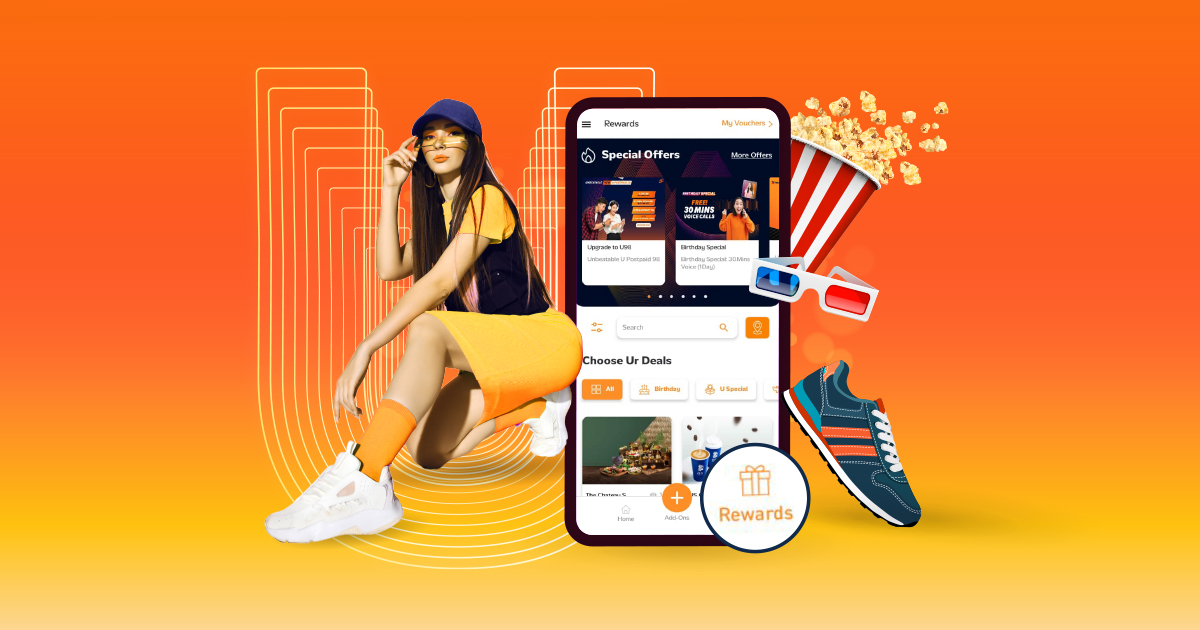
Best
Rewards
Don't wait for your birthday! Grab rewards and crazy discounts every day of the year.

Fast Customer
Service
Channel your inquiries and get customer support in a faster and easier way.

Check Balance
Anytime
Never run low on credit again! Check your remaining prepaid credit balance on-the-go.

Monitor
Your Account
Stay on top of your data usage, voice minutes and bills anytime, anywhere.

Activate
Auto Debit
Activate Auto Debit via the MyUMobile App for worry free prompt payments.

Upgrade
Plan
Easily upgrade your plan on the app for features and benefits that suit your needs.

Get a
New Line
Save your time. Get a new line anytime via our App in just a few simple steps

Activate
Share Line
Skip the queue. Activate your U Family Share from the comfort of your own home.
Let's Get Started!
Here’s how to activate & log in to your account on the App.

New and Existing User
Step 1: Launch the MyUMobile App and key in your U Mobile number.
Step 2: Enter the OTP sent to you via SMS(Prepaid & Postpaid).

New User
Step 1: Launch the MyUMobile App.
Step 2: Enter your preferred email and set a password of your choice.
Step 3. Link your email to your new account number.
Step 4: Log in to the MyUMobile App with the email and password you have set.

Existing User
Step 1: Launch the MyUMobile App, and tap on “Broadband” login option.
Step 2: Enter your registered email and password to log in.
Tap & download the MyUMobile App now:



More Services

Switch to U
Enjoy more awesome perks and rebates when you Switch to U!
Get MyUMobile App Now!
Enjoy a better, faster and safer experience today!