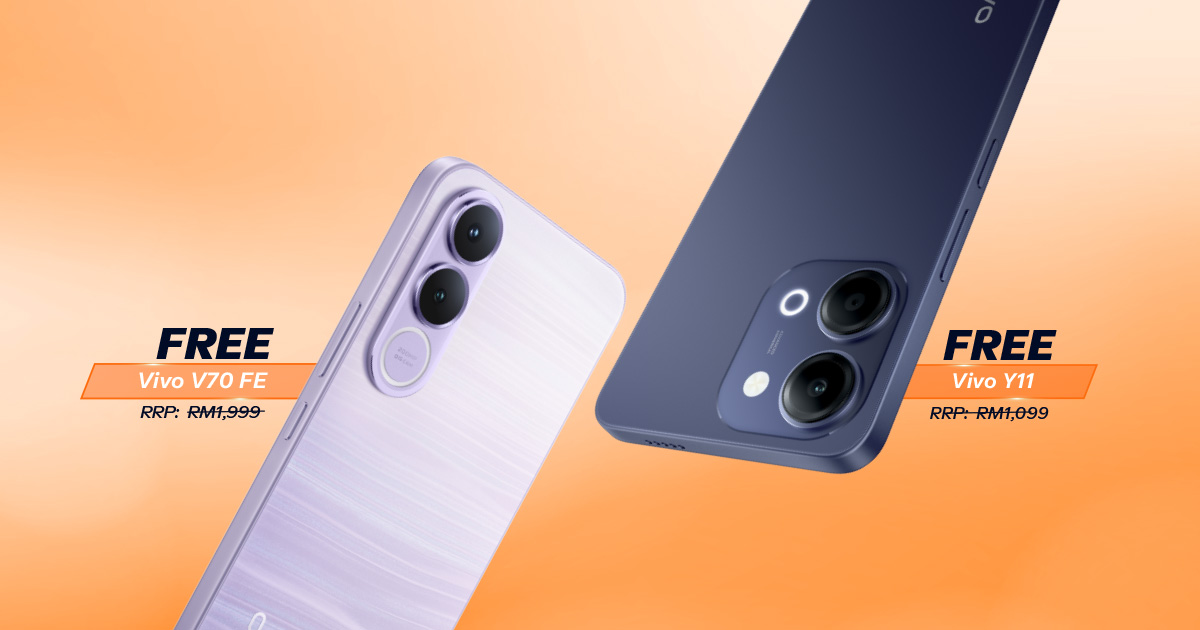
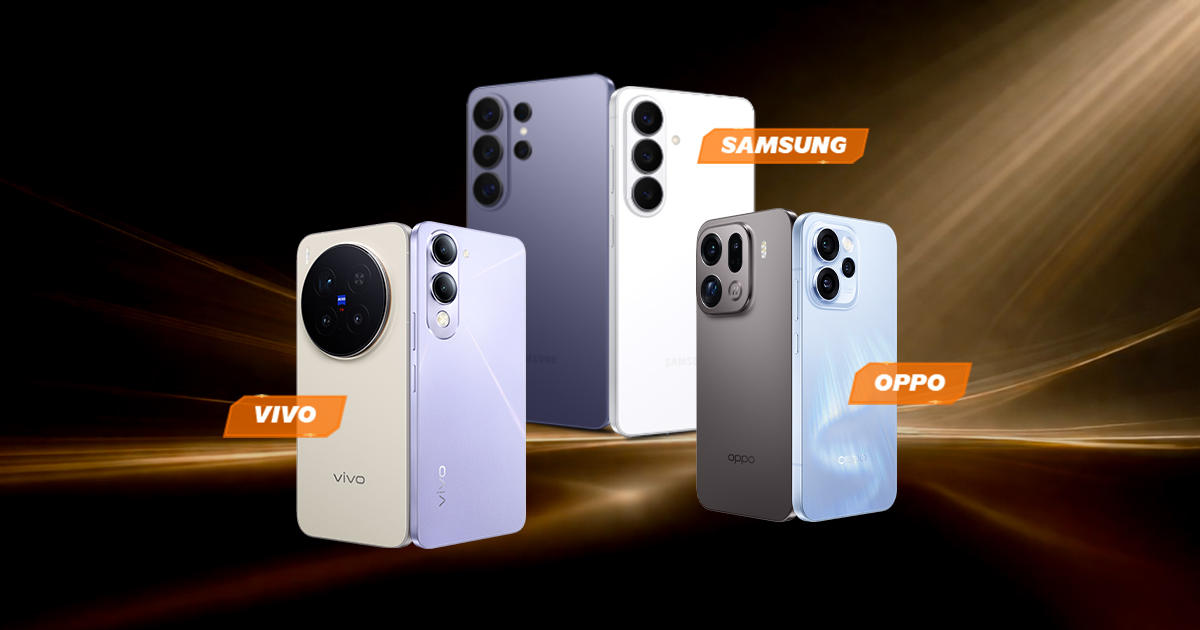
{{deviceBrand}}
{{deviceModel}}

{{submittedDetailsLabel}}
- {{interestedInLabel}}
- {{data.find(item => item.fieldName === 'IM_INTERESTED_IN' ).fieldValue}}
- {{salutationLabel}}
- {{data.find(item => item.fieldName === 'SALUTATION' ).fieldValue}}
- {{fullNameLabel}}
- {{data.find(item => item.fieldName === 'NAME' ).fieldValue}}
- {{idTypeLabel}}
- {{data.find(item => item.fieldName === 'ID_TYPE' ).fieldValue}}
- {{idNumberLabel}}
- {{data.find(item => item.fieldName === 'ID_NO' ).fieldValue}}
- {{mobileNumberLabel}}
- {{data.find(item => item.fieldName === 'PHONE_NO' ).fieldValue}}
- {{emailAddressLabel}}
- {{data.find(item => item.fieldName === 'EMAIL' ).fieldValue}}
- {{adresssLineLabel}}
- {{data.find(item => item.fieldName === 'ADDRESS_LINE' ).fieldValue}}
- {{postcodeLabel}}
- {{data.find(item => item.fieldName === 'POSTCODE' ).fieldValue}}
- {{stateLabel}}
- {{data.find(item => item.fieldName === 'STATE' ).fieldValue}}
- {{cityLabel}}
- {{data.find(item => item.fieldName === 'CITY' ).fieldValue}}
{{yourSelectedPlanLabel}}
- {{broadbandPlanLabel}}
- {{data.find(item => item.fieldName === 'BROADBAND_PLAN' )?.fieldValue}}
- {{selectedPostpaidOptionPlanLabel}}
- {{selectedPostpaidOptionPlan}}
- {{monthlyFeeLabel}}
- {{data.find(item => item.fieldName === 'MONTHLY_FEE' )?.fieldValue}}
{{personalDetailsFormLabel}}
- {{salutationLabel}}
- {{data.find(item => item.fieldName === 'SALUTATION' )?.fieldValue}}
- {{fullNameLabel}}
- {{data.find(item => item.fieldName === 'NAME' )?.fieldValue}}
- {{idTypeLabel}}
- {{data.find(item => item.fieldName === 'ID_TYPE' )?.fieldValue}}
- {{idNumberLabel}}
- {{data.find(item => item.fieldName === 'ID_NO' )?.fieldValue}}
- {{mobileNumberLabel}}
- {{data.find(item => item.fieldName === 'PHONE_NO' )?.fieldValue}}
- {{emailAddressLabel}}
- {{data.find(item => item.fieldName === 'EMAIL' )?.fieldValue}}
{{installationAddressFormLabel}}
- {{installationBuildingNameLabel}}
- {{data.find(item => item.fieldName === 'INSTALLATION_BUILDING_NAME' )?.fieldValue}}
- {{installationUnitBlockLabel}}
- {{data.find(item => item.fieldName === 'INSTALLATION_BLOCK_NUMBER' )?.fieldValue}}
- {{installationUnitNumberLabel}}
- {{data.find(item => item.fieldName === 'INSTALLATION_UNIT_NUMBER' )?.fieldValue}}
- {{installationAddressLineLabel}}
- {{data.find(item => item.fieldName === 'INSTALLATION_ADDRESS_LINE' )?.fieldValue}}
- {{installationPostcodeLabel}}
- {{data.find(item => item.fieldName === 'INSTALLATION_POSTCODE' )?.fieldValue}}
- {{installationStateLabel}}
- {{data.find(item => item.fieldName === 'INSTALLATION_STATE' )?.fieldValue}}
- {{installationCityLabel}}
- {{data.find(item => item.fieldName === 'INSTALLATION_CITY' )?.fieldValue}}
- {{installationServiceProviderLabel}}
- {{data.find(item => item.fieldName === 'SERVICE_PROVIDER' )?.fieldValue}}
{{registrationAddressFormLabel}}
- {{registrationBuildingNameLabel}}
- {{data.find(item => item.fieldName === 'REGISTRATION_BUILDING_NAME' )?.fieldValue}}
- {{registrationUnitBlockLabel}}
- {{data.find(item => item.fieldName === 'REGISTRATION_BLOCK_NUMBER' )?.fieldValue}}
- {{registrationUnitNumberLabel}}
- {{data.find(item => item.fieldName === 'REGISTRATION_UNIT_NUMBER' )?.fieldValue}}
- {{registrationAddressLineLabel}}
- {{data.find(item => item.fieldName === 'REGISTRATION_ADDRESS_LINE' )?.fieldValue}}
- {{registrationPostcodeLabel}}
- {{data.find(item => item.fieldName === 'REGISTRATION_POSTCODE' )?.fieldValue}}
- {{registrationStateLabel}}
- {{data.find(item => item.fieldName === 'REGISTRATION_STATE' )?.fieldValue}}
- {{registrationCityLabel}}
- {{data.find(item => item.fieldName === 'REGISTRATION_CITY' )?.fieldValue}}
- {{registrationServiceProviderLabel}}
- {{data.find(item => item.fieldName === 'SERVICE_PROVIDER' )?.fieldValue}}
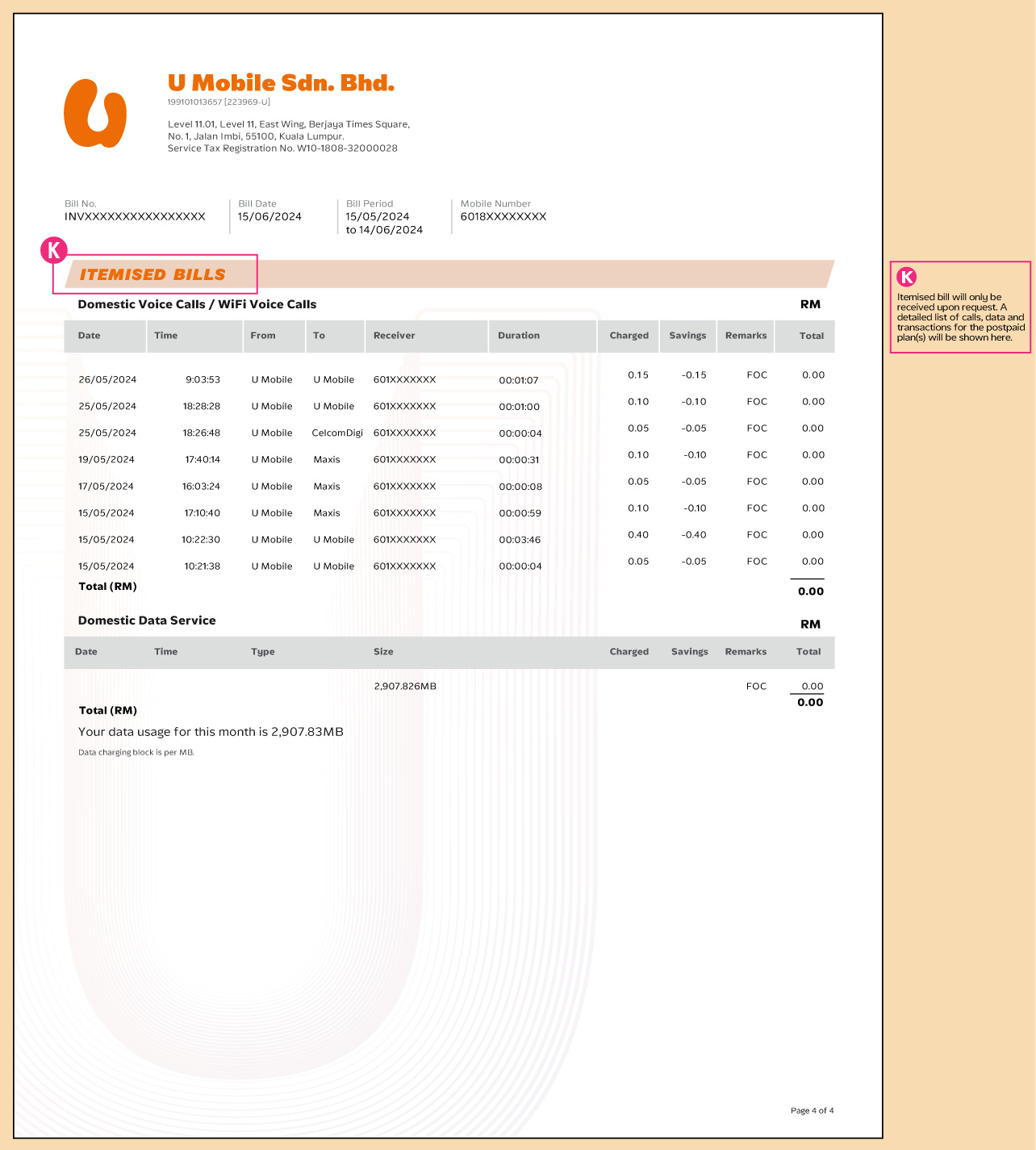
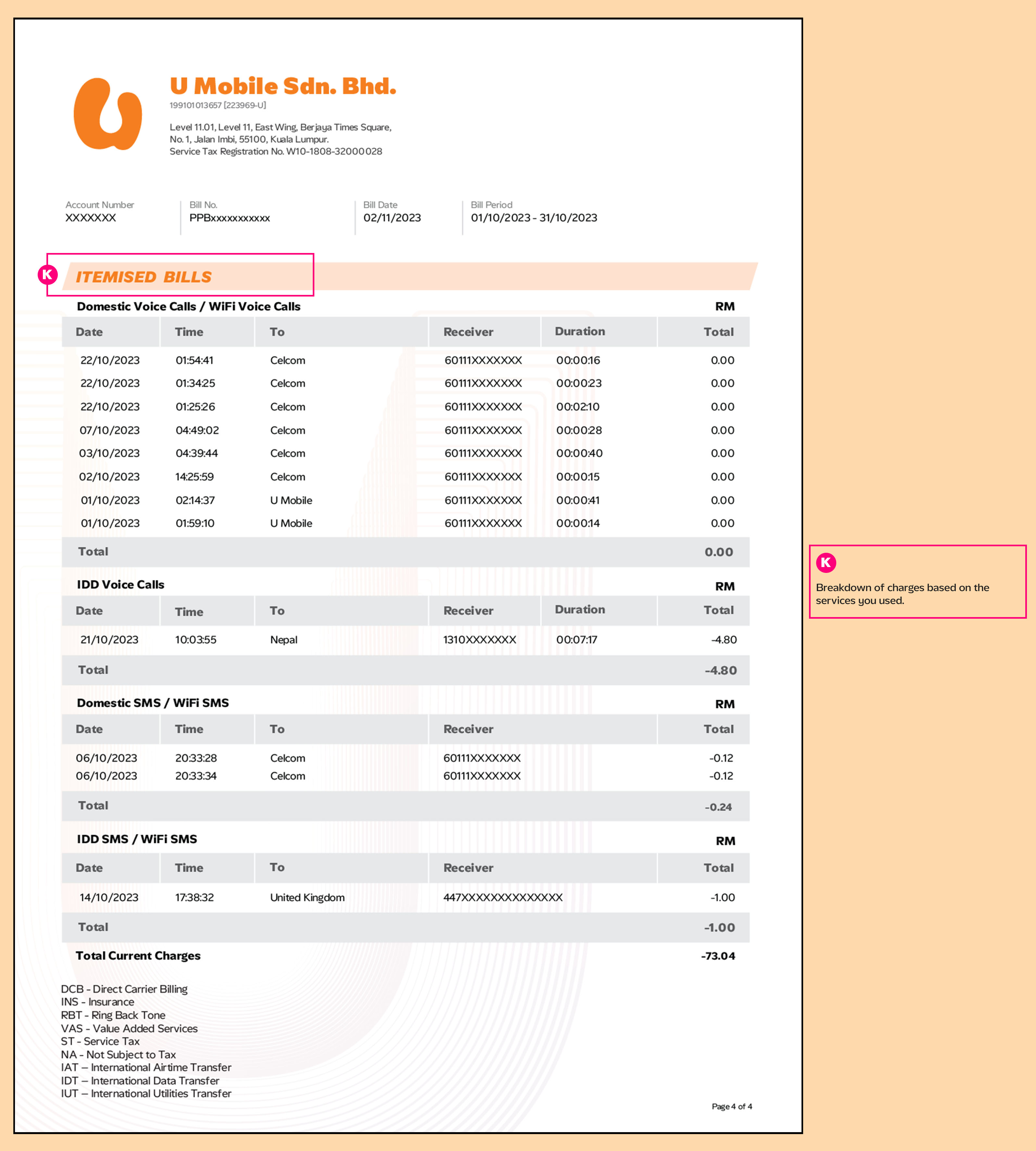
Get to Know Your Brand-New Postpaid & Prepaid Bill Statement
Discover the new and improved way to view your Postpaid/Prepaid bill. Check out the samples below. Please note that these enhancements will not affect the exceptional services you currently enjoy.

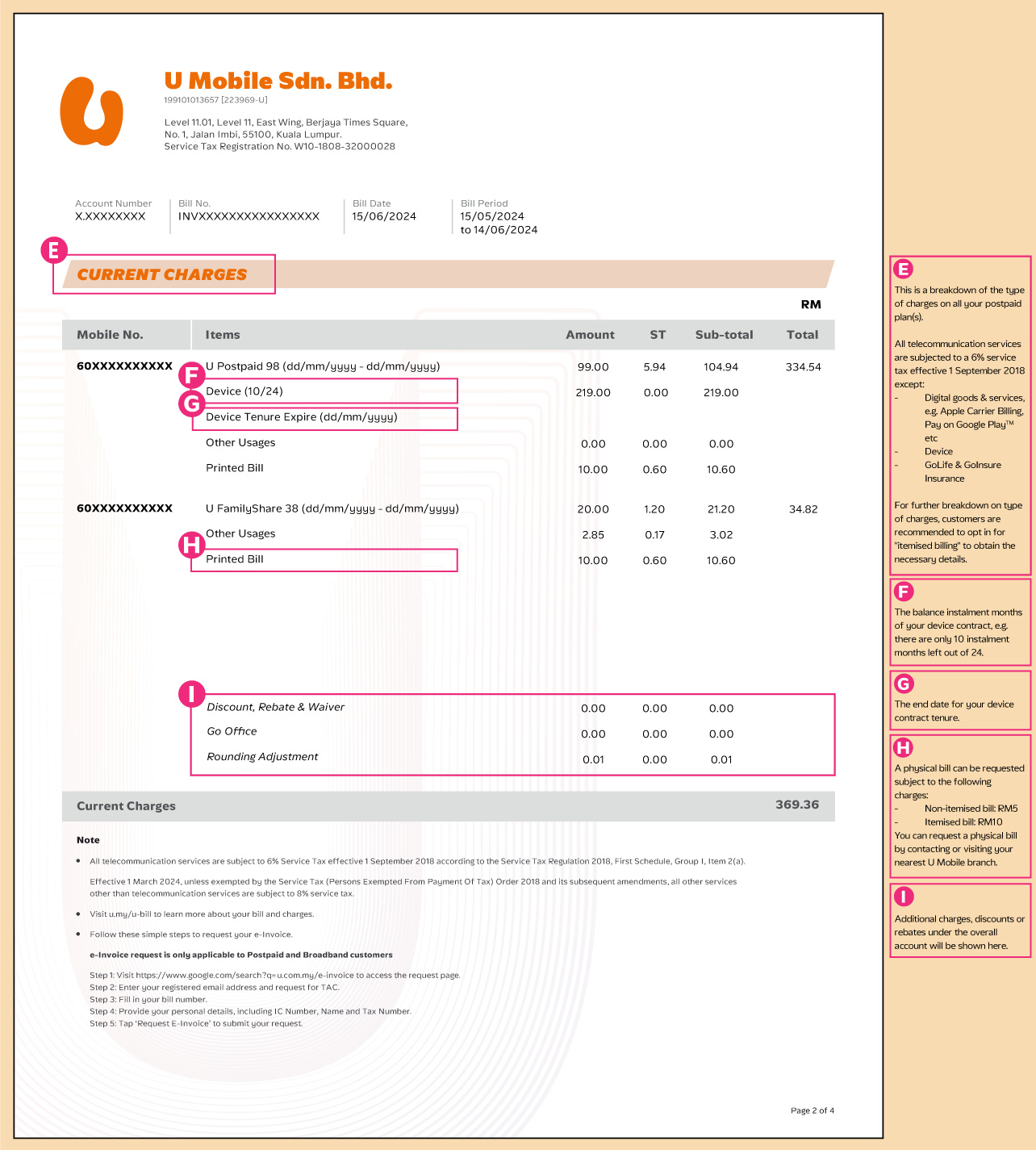
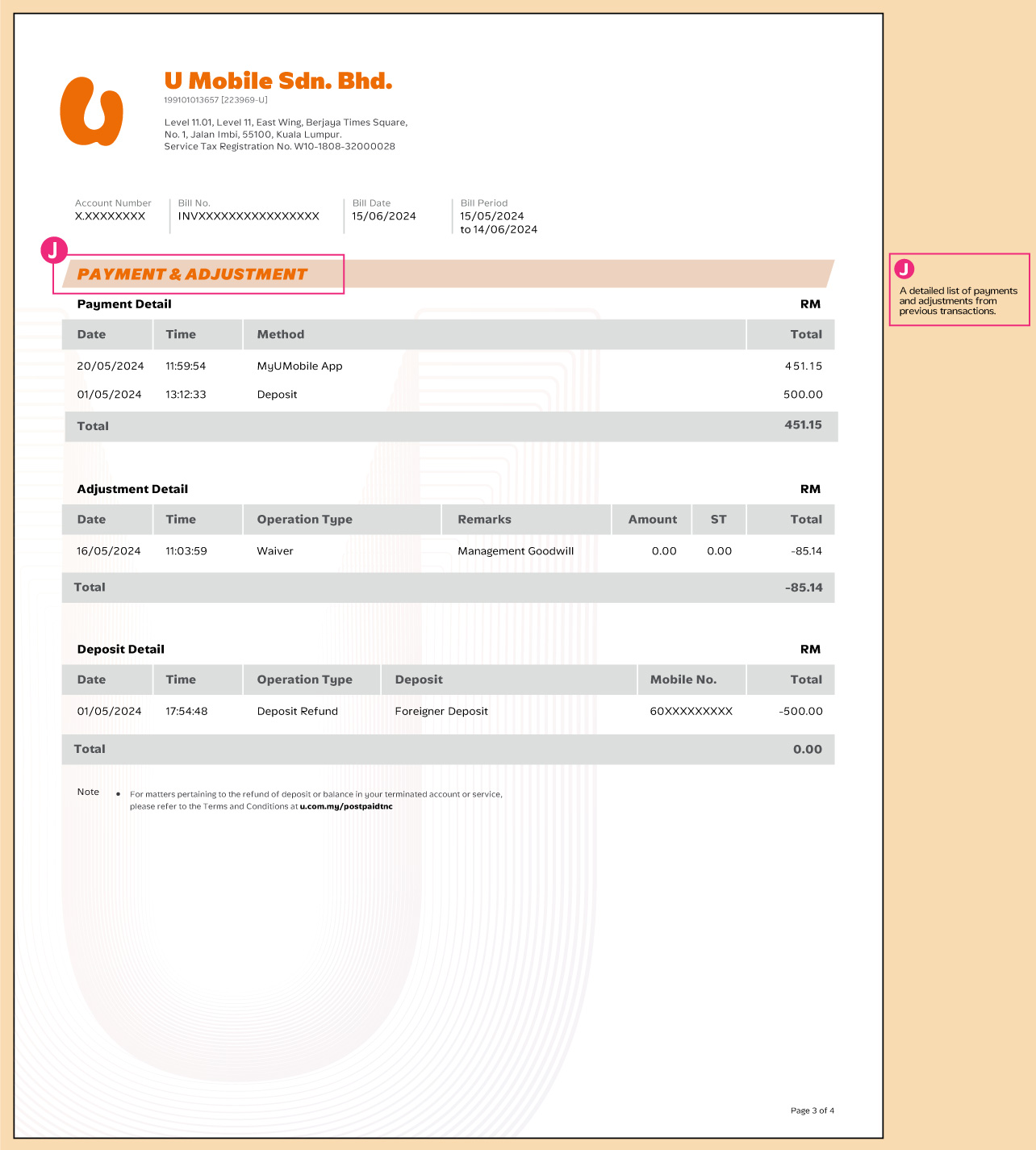
Request for Your Physical Bill in 4 Easy Steps
Step 1
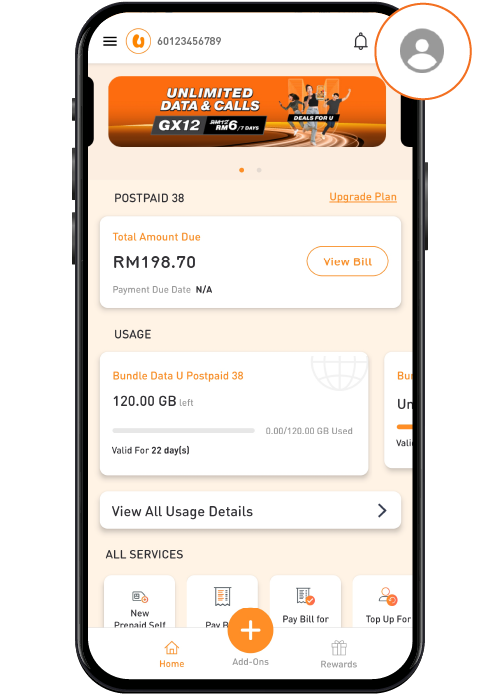
Log in to your MyUMobile App and update your billing address by going to "My Profile" in the top right corner of the home screen.

Step 3
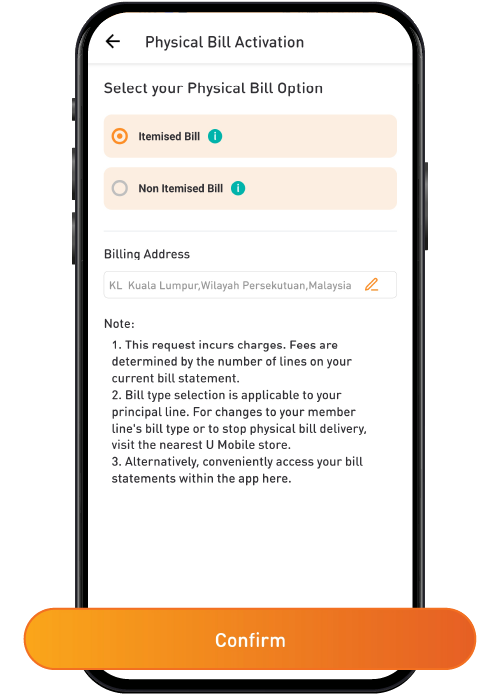
Select your Physical Bill Option, then tap on "Confirm" to proceed.
Step 4
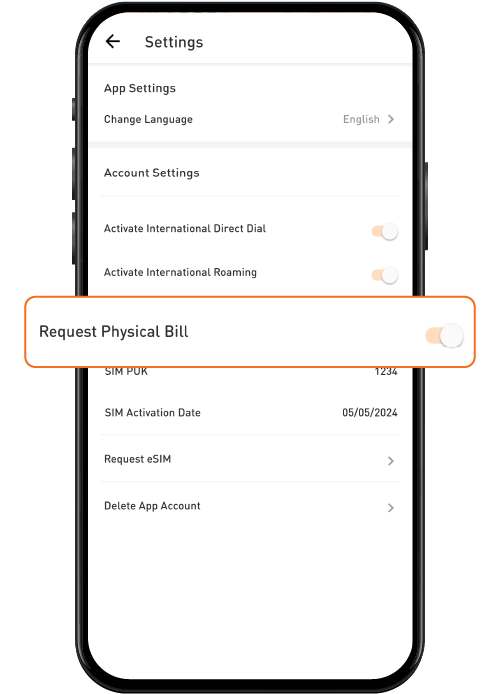
Your Physical Bill has successfully been activated!
As a monthly service fee, you will be charged RM5 per line for a non-itemised bill and RM10 per line for an itemised bill.
Request Your e-Invoice in 5 Simple Steps
Follow these steps to request your e-Invoice for tax filing. (Applicable to Postpaid and Broadband customers only)
Step 1
Click HERE to access the e-Invoice request page.
Step 2
Enter your email address and request for a TAC.
Step 3
Fill in your bill number.
Step 4
Provide your personal details, including IC Number, Name, and Tax Number.
Step 5
Tap "Request E-Invoice" to submit your request.
Important Notes:
- Once validated by LHDN, your e-Invoice will be sent from notice@mail.einv.my. If you do not receive it, please check your spam folder.
- You can only request the current month’s bill within the same month and after your bill date.
- The previous month’s bill cannot be requested.
More Ways to Reach Out
Whether it’s through the MyUMobile App or social media, getting in touch is quick and easy.
MyUMobile App
Enjoy a better, faster and safer experience today!

Drop us your message on Messenger.

Instagram
Have questions? Feel free to DM us!
Frequently Asked Questions
You may view or download your bill statement via the following channels:
- MyUMobile App > Menu > Bill & Payment > Bill History
- Registered Email Address (if you are subscribed to e-billing)
Yes, you can download and view your bills from the past 6 months via the MyUMobile App.
This is the unpaid amount from your previous month’s bill(s). You must settle the exact amount as shown in the bill statement immediately to prevent service interruption. It will display a negative figure if there is an overpayment or leftover balance in your account.
All U Mobile postpaid and broadband customers can request their monthly e-Invoice for tax filing purposes. However, this service is not applicable to prepaid.
You can request for the e-Invoice within the same month after your latest bill is released.
You should receive it within 1 to 2 working days after a successful submission.
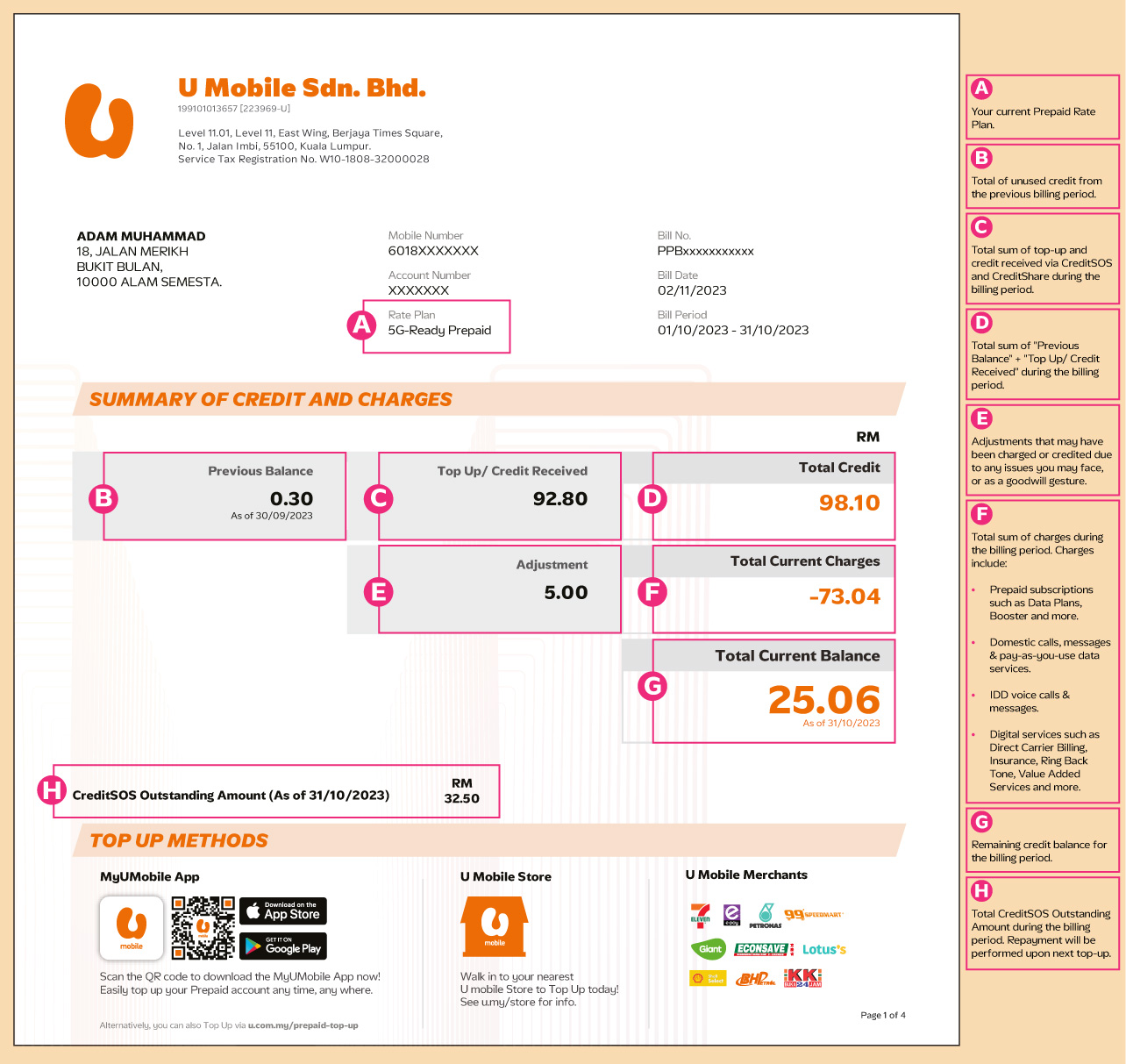
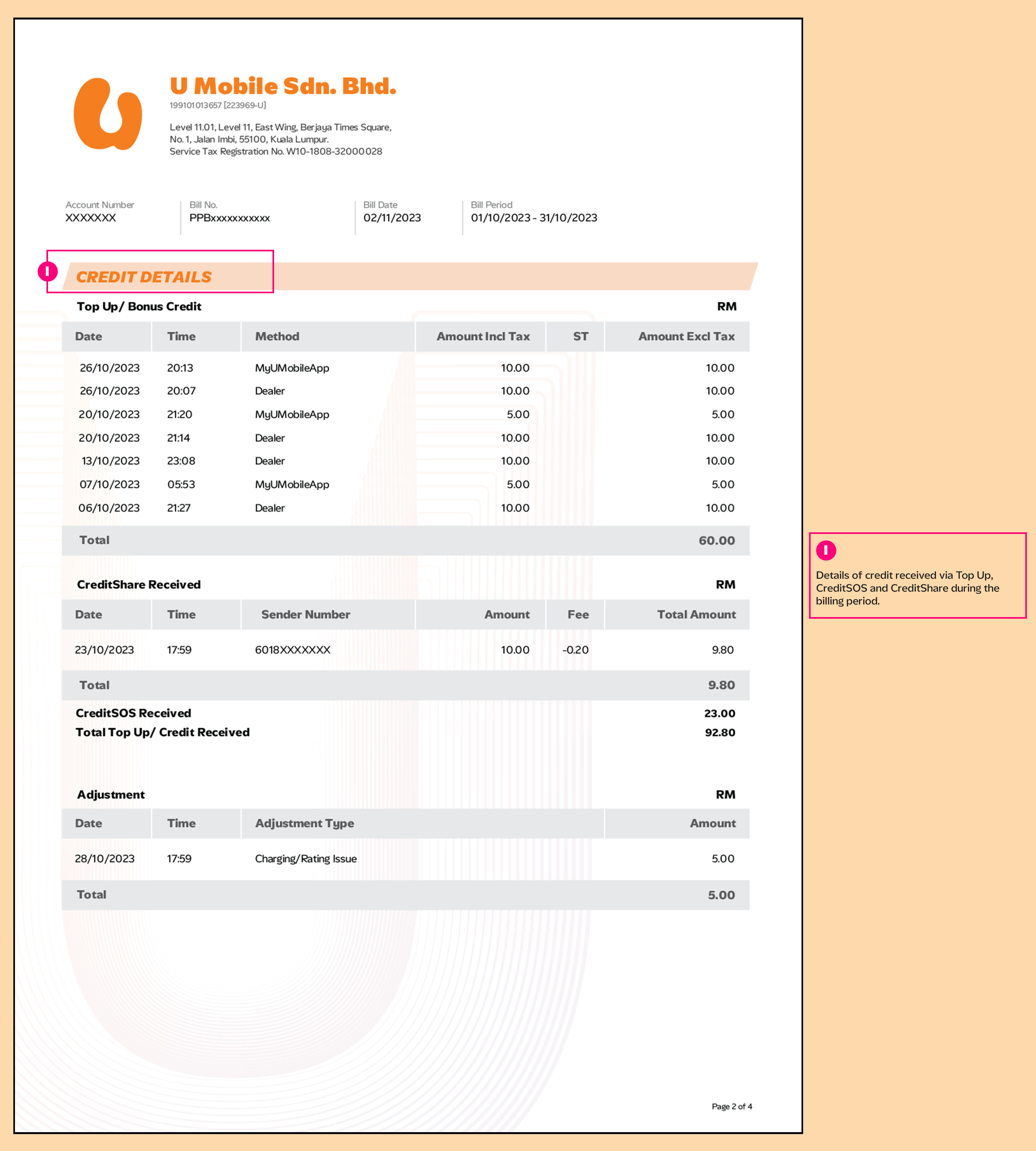
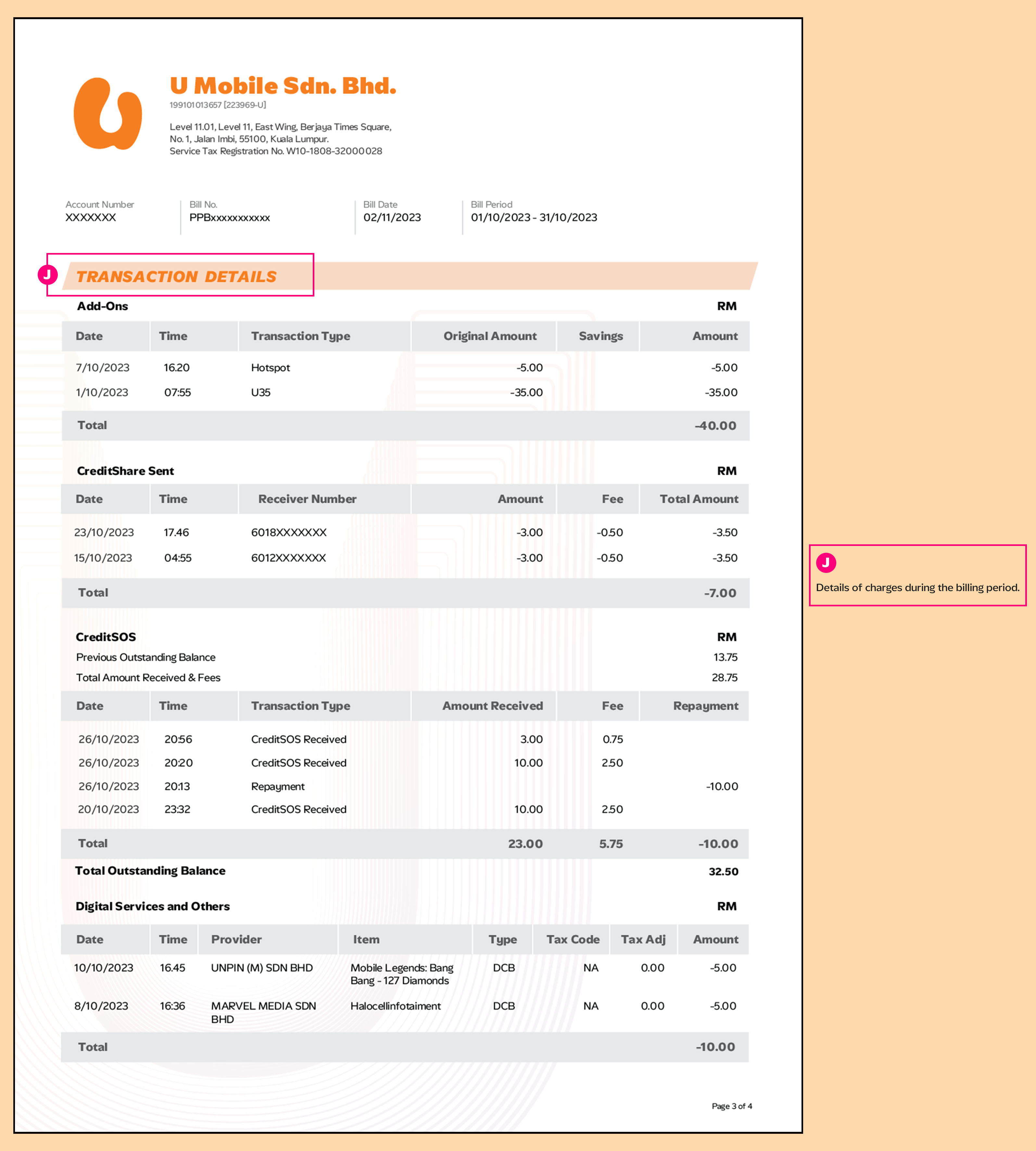
Note: For Prepaid bills, only the latest six months of your bills can be retrieved. To ensure access to your records, please download your bills regularly from the MyUMobile App, if needed.
More Ways to Reach Out
Whether it’s through the MyUMobile App or social media, getting in touch is quick and easy.
MyUMobile App
Enjoy a better, faster and safer experience today!
Drop us your message on Messenger.
Instagram
Have questions? Feel free to DM us!